
Skip to content
P4 Software P4 Software / P4 Warehouse

Add these docs to Claude

Ask Claude questions about these docs. Claude reads the published pages and links you back to them. Copy this address:

https://p4-software.opendocs.page/mcp

In claude.ai or Claude Desktop: open Settings, then Connectors, choose Add custom connector and paste the address.

In Claude Code, run:

claude mcp add --transport http docs https://p4-software.opendocs.page/mcp

Tenant Setup

Tenant Setup


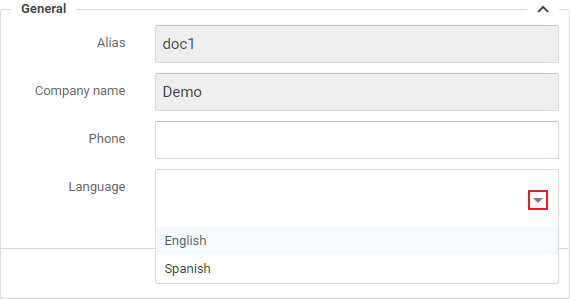
Tenant Configuration page consist of two tabs: 'General' and 'Login Screen'.In the 'General' tab users can add and update some basic information about their company and access license certificates and agreement.

General

  • Alias and Company name are set by the implementation team and cannot be changed by the end user.
  • Add you company's primary phone number.
  • Choose a preferred language using the dropdown menu as shown above.

Address

Add or edit your company's address in the section shown below.
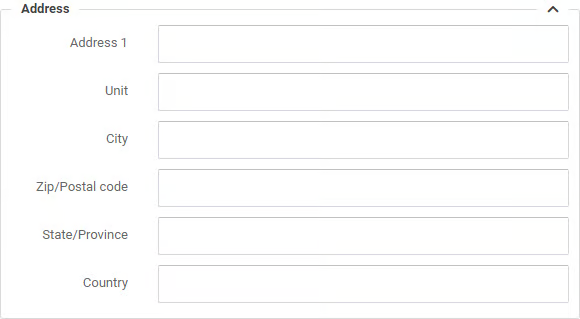
Complete all of the fields or your Packslips and Labels will have missing data.
License

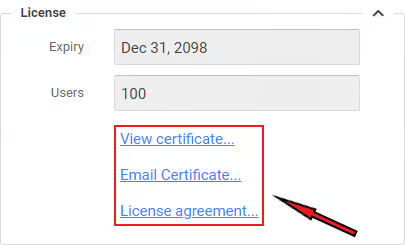
  • Expiry field indicates when is your current P4W license runs out.
  • Users field shows how many users can utilize P4W system simultaneously.
  • Links above allows user to view and Email certificate, or access license agreement.

Document Printing

P4W provides an option for users to upload their own custom document for printing including: Custom Packslip, Custom Commercial Invoice, Custom Proforma invoice, Custom RMA, Custom Receiving slip, Custom 3PL Invoice.To upload a custom printing document, click the 'Upload...' link and select a file from your local machine.
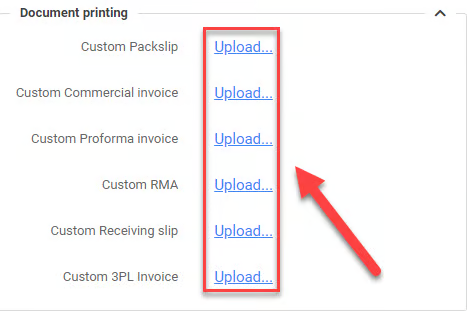
Notice: click 'Update' button to save changes.

Was this page helpful?