 P4 Software
/
logisticaHQ-en
P4 Software
/
logisticaHQ-en
Un-Picking can happen for a variety of reasons, the most common is that the pallets did not fit into the trailer. In the event the pallets do not fit, you can simply Un-Pick the pallets and place the Products into a bin.
If you pick several pallets to one pick label, there is no process to un-pick only one pallet. It is CRITICAL each pallet has a pallet label and product is picked correctly to the corresponding pallets label.

Scan the tote label (carton / pallet) that you want to unpick.
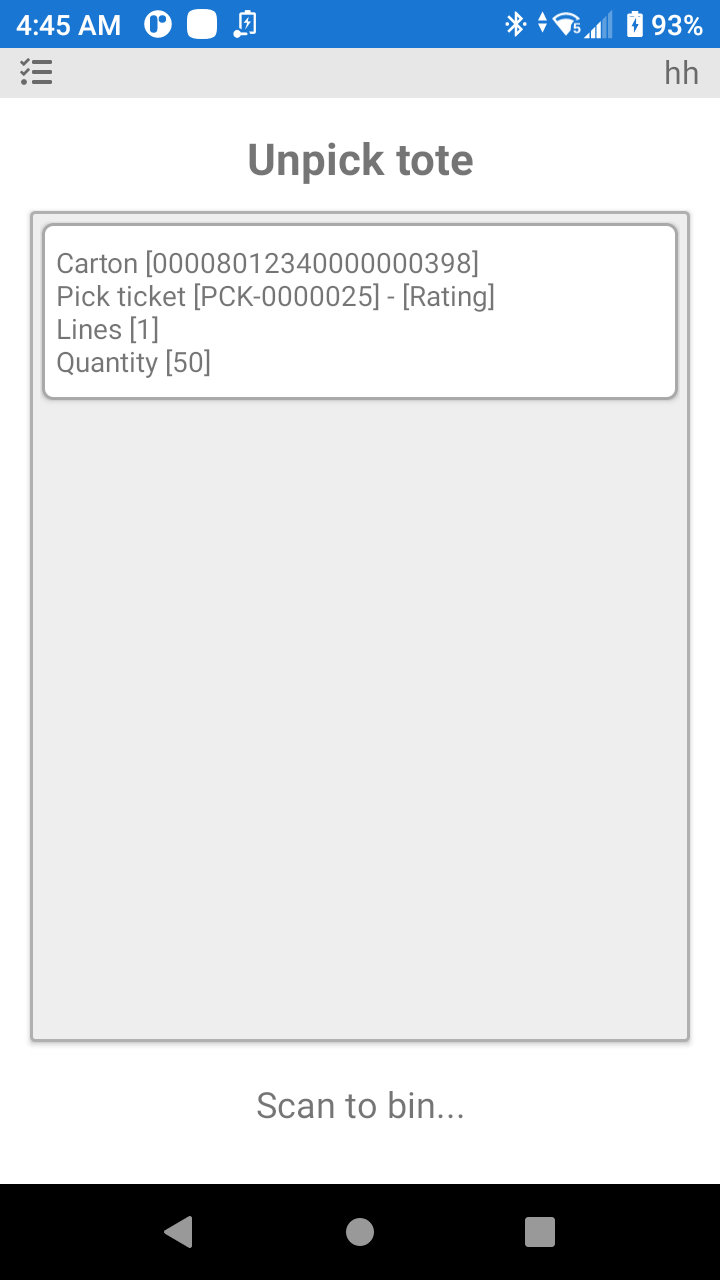
Scan the bin where you will store the Products until a decision is made to what Bins the Products will be returned to.
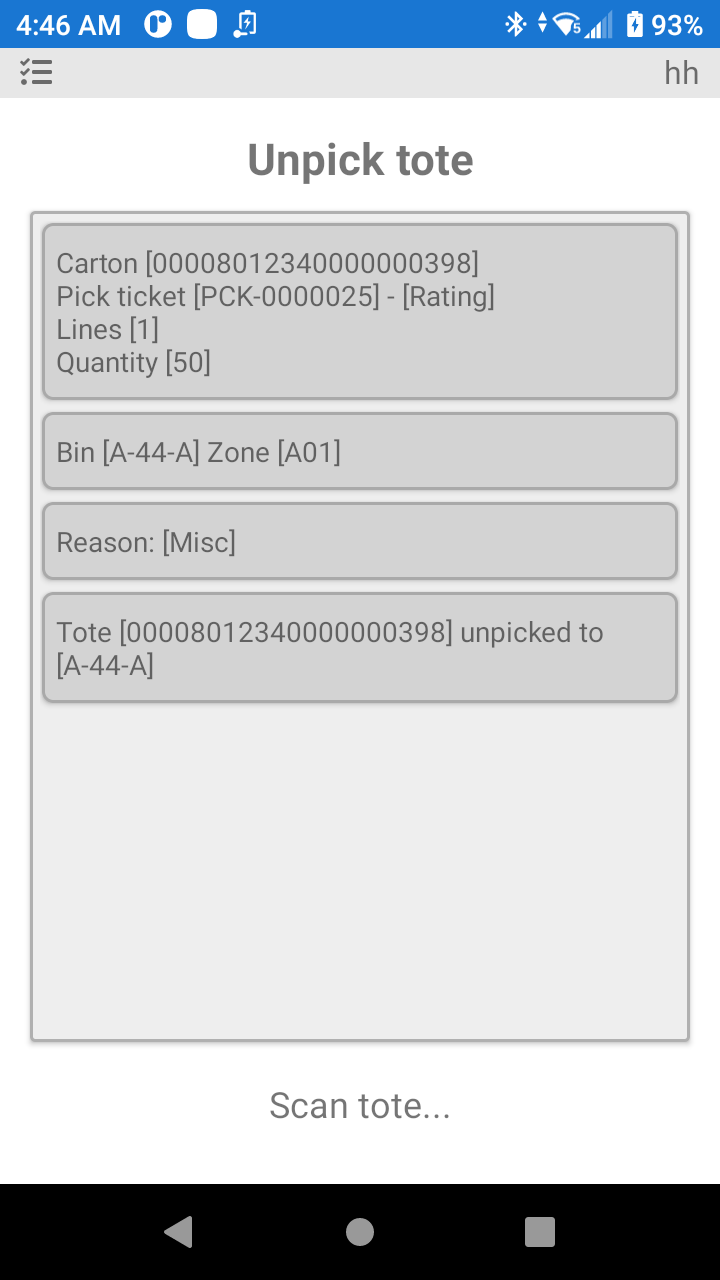
As you can see in the above image the pallet is unpicked and returned to bin A-44-A with a quantity of 50.
Orders cannot be unpicked after they are closed. Be sure of your processes, so you can unpick the product before the order is closed.
When an order is counted on ship (see Tote counting), its cartons and pallets are counted at the shipping door before the order ships. That count decides what Unpick tote does on the handheld:
A company can allow the other choice: unpicking units that are already counted. The setting is Allow Unpick Counted Totes (description: Allow un-picking totes that have already been counted at shipping. The units go back to stock and the ship count goes down with them. Only for orders that have not shipped), under Setup > System > Configuration > Business > Fulfillment > Shipping. It is off until an administrator switches it on.
Once units are counted for shipping, nothing on the handheld can un-count them. An administrator can instead put the whole order's ship count back to zero from the pick ticket, so the order can be counted again from the start.
The dialog says what the reset does: it sets the count taken while loading back to zero for the whole order, picked quantities and stock do not change, and the order returns to the count step and must be counted again. A message confirms it: Pick ticket [x]: ship count reset to zero, [n] counted units cleared. Count it again. The order's audit trail records the reset with the reason and the administrator who made it.
The server refuses, with a sentence that says why, an order that is closed, already shipped, signed by the driver, not finished picking, in quality inspection, without Count on ship, on an LTL load (take it off the load first) or with nothing counted yet. If someone else is counting, signing or shipping the order at that moment, wait a few seconds and try again.
Was this page helpful?