 P4 Software
/
logisticaHQ-en
P4 Software
/
logisticaHQ-en
A zone is an area of a Warehouse whose Bins all follow the same rules: whether stock sits loose on shelves or on pallets, which Products and Clients may go there, whether different Products, lots or expiry dates may share a bin, and whether stock there can be picked at all. Zones are the most powerful part of the Warehouse Setup. Plan them with your LogisticaHQ partner before you create Bins: a zone's rules decide what every operator's Handheld will accept and refuse.
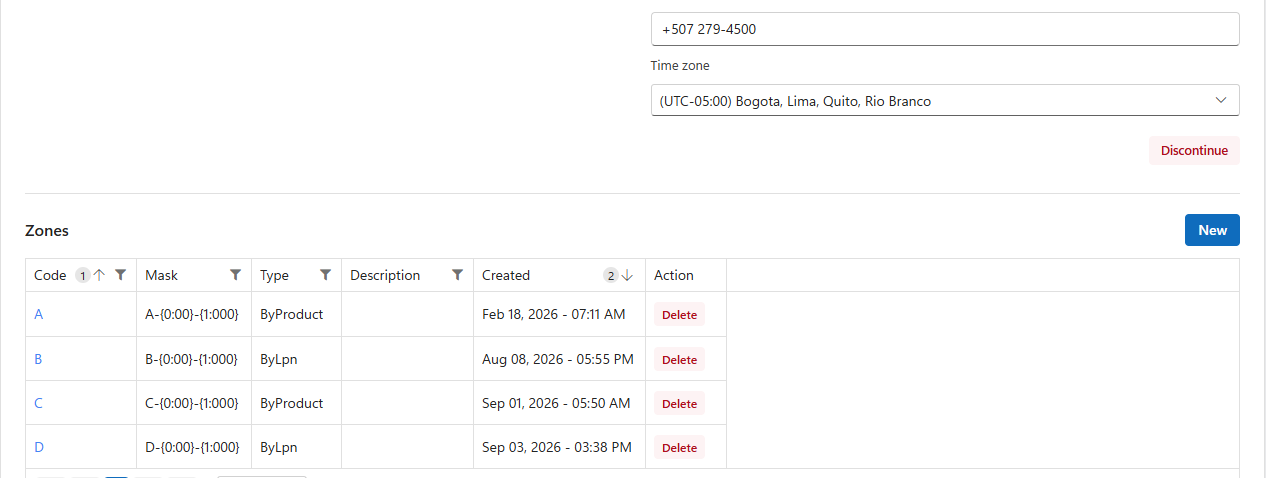
Open Setup > Warehouse > Zones (or open the Warehouse and use its Zones section) and click a zone's code. The page shows the zone code at the top with chips for its type, its handling, Rack storage and its client, then tiles, then the zone's settings in cards, then its Bins. Change the settings and click Update. Rack limits and pallet types describes the tiles, the Bins grid and the rack limits.
| Setting | What it does |
|---|---|
| Zone code | The code of the zone. |
| Bin mask | The pattern proposed when you generate this zone's Bins. See Bins. |
| Warehouse | The Warehouse the zone belongs to, as a link to it. |
| Label printer | The printer for carton labels when a wave is picked zone by zone. Without it, the company's default printer is used. |
| Description | A note for people. |
A zone has one Zone type, chosen with one button. Under the buttons, a line says what the chosen type means.
| Zone type | Meaning |
|---|---|
| Storage | Normal stock, picked and allocated. |
| Staging | Pallets waiting between the floor and the dock. |
| Quarantine | Held stock that is never allocated. Stock here is never allocated to orders, production or replenishment: it stays until someone moves it out. Use it for damaged, recalled or inspection stock. |
| Production area | Stock consumed by Production orders, with an automatic source bin. The zone's Bins are work areas where Production orders are built, and their stock is never allocated to orders. See Production orders. Offered for By product zones only. |
For a By product production area, Production auto source picks a bin whose stock is offered automatically to Production orders built here. It is saved as soon as you choose it.
Product handling is one choice between two buttons:
| Product handling | Meaning |
|---|---|
| By product | Stock sits loose in Bins: shelving, pick faces, cartons. This is where orders are normally picked from. |
| By license plate (LPN) | Stock sits on pallets or containers (LPNs) in the Bins: racking, reserve, floor storage. |
The two never mix. The Handheld refuses loose product into a By LPN bin (Zone [A] only allows Bulk handling), an LPN into a By Product bin (Cannot move LPN to a non Bulk bin), loose product into a bin that holds an LPN, and an LPN into a bin that holds loose product. Stock on LPNs is only picked when the Allocation option Allocate bulk is on; otherwise it is replenished to By Product Bins first.
| Setting | What it does |
|---|---|
| Allowed categories | Only Products of these categories may be put in this zone, comma-separated, for example Frozen, Chilled. Anything else is refused: Cannot move product to [bin]. Category [X] is not allowed. Leave empty for any category. Not shown for a production area. |
| Packsize handling | For pack size controlled Products (By product zones only): Unchanged; Prevent eaches (only whole packs); Prevent packs (only single units); Convert packs to eaches (packs are stored as single units). |
A line under the card says which rules the zone's handling and type hide: Packsize handling, One bin per product and Dedicated product Bins apply to By product zones only, and allowed categories and the bin placement rules do not apply to a production area.
| Setting | What it does |
|---|---|
| Allow multiple LPNs per bin | (By LPN zones) When off, a bin holds one pallet at a time. |
| Allow multiple Products per bin | When off, a bin holds one product at a time: Bin [X] cannot contain multiple Products. |
| One bin per product | Shown when a bin holds one product at a time. When on, a product may occupy only one bin of the zone; the Handheld points the operator to it: Use Bin [Y] instead. |
| Dedicated product Bins | Shown when a bin holds one product at a time. When on, each bin belongs to one product: the first product put in a bin becomes its dedicated product, and Bins can carry a minimum and maximum for replenishment. See Bins. |
| Allow multiple client Products per bin | When off (the default), a bin never mixes the Products of different 3PL Clients. |
| Allow multiple Packsizes per bin | When off, a bin holds one pack size of a product. |
| Allow multiple Lots per bin | When off, a bin holds one lot of a lot-controlled product. |
| Allow multiple expiries per bin | When off, a bin holds one expiry date of an expiry-controlled product. Keeping one expiry per bin makes first-expired-first-out picking exact. |
The multiple-Products, lots, expiries and pack size rules are not applied during a Cycle Count, so a count always records what is really there.
Rack storage, Max weight, Weight unit and, when your company uses pallet types, Accepted pallet types. They are explained in Rack limits and pallet types.
The typical bin's Length, Width and Height, their Units of measure, and the resulting Cube. Informational: logisticaHQ does not use them to limit what goes in a bin.
In a 3PL Warehouse, Only this client's stock reserves the zone for one client: choose the client. Only that client's Products can then be put in the zone's Bins: Bin is assigned to a different Client. Leave it on Any client for a zone every client shares. The choice is saved the moment you make it.
A bin follows its zone's rules unless it has its own setting. See Bins.
A user can be limited to certain zones on their profile. They are then refused anywhere else: User is not allowed to handle product in zone [Z]. See Users.
Click Delete in the zone's row and confirm. Deleting a zone also deletes its Empty bins. It is refused, naming the Bins, while any of them still holds stock, license plates or Totes, or is used by a kit, a load or a production order.
Was this page helpful?